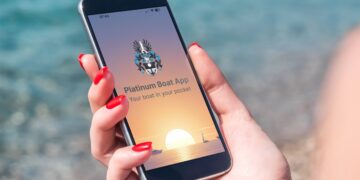









The idea behind the free SeaHelp app for smartphones (iOS and Android) is as simple as its operation: in an emergency, when things get hectic on board, an emergency call can be sent with just two clicks, which simultaneously transmits the exact position of the person seeking help as well as their mobile phone number to the control centre. We show you how to install the app quickly and easily.
Operating the emergency button of the practical – and free – SeaHelp app is remarkably simple: just move the red emergency call button of the SeaHelp app from left to right and additionally confirm the emergency call. The phone then automatically sends an emergency SMS to the SeaHelp control centre, transmitting both the mobile phone number and the current position data.
A SeaHelp employee from the control centre will call back immediately to get an overview of the situation. Depending on the requirements, a SeaHelp intervention boat will then be dispatched and/or further measures will be initiated without delay.
But the app can do much more: SeaHelp news, weather warnings, the coordinates of your current location, a compass, a gas station map, a tide calendar, and the possibility to easily request an insurance quote can be found in the menu (see also our news from 30.7.2022).
The app has now been installed on approx. 30,000 mobile devices and has developed into an indispensable tool for skippers in the areas supported by SeaHelp.
When installing the app on your smartphone, it is best to follow the step-by-step instructions online
The app provides reliable and comprehensive information; when installing this useful helper on your smartphone, it is best to follow the step-by-step instructions to ensure everything works correctly.
Important: Only one telephone number is stored as authentication for each membership. This means that if you want to set up several devices with your membership, the password request must always be made using this one main number. Furthermore, the callback in the event of a request for assistance is always made to the registered number from which the request originates.
Tip: If the app has been set up incorrectly by mistake, you can easily proceed as follows: Android – clear the app’s cache; iOS – uninstall and reinstall the app. After that:
- Open the app (using the device with the main number)
- Menu item: User data
- Menu item: Already a member
- Request password
- You will receive an SMS to the main number with a PIN
- Enter this PIN on the main device, and if desired also on a second device (download app, click “already a member”, enter the PIN from the main device into the second device, then the member card will be visible on the second device).
If a user has forgotten their PIN, the best procedure is as follows: first uninstall the app on the relevant devices and start again with point 1 (Open app).
Update personal or boat data easily online
Previously, you had to write us an email to change your personal or boat data. We have simplified this for you: As of now, you can make all adjustments directly via our new online form.
Whether you have moved, your contact details have changed, or you have a new boat under your keel – this is how we ensure that your membership data is correctly stored and the SeaHelp app works seamlessly.
Particularly practical: With every change of boat data (or a complete boat change), you can now simply upload the corresponding documents, such as the boat certificate, directly in the form as a PDF or photo. This saves the tedious typing and ensures fast processing.
Good to know: Membership always renews automatically. The “Renew membership” function is therefore only necessary if a cancelled membership is to be reactivated or an additional membership is to be concluded. If you want to be sure that the location sharing for the app is still active (it is occasionally deactivated after updates and privacy setting changes), check the app in good time before the start of your holiday – so you can start the boating season without any worries.
Further information: sea-help.eu/notruf-app-seahelp-apple-iphone-android/. You can also get assistance from the trained and friendly SeaHelp service staff at 0043 7617 21921 11 or by email at info@sea-help.eu.
24h EMERGENCY CALL EUROPE: 0043 50 43 112
In an emergency, SeaHelp intervention boats can be called using the practical SeaHelp app, or via the free emergency number for Europe 0043 50 43 112 (or via the alternative emergency number for Europe 00385 919 112 112).
Download SeaHelp App:


* terminal device or telecommunication service costs may apply